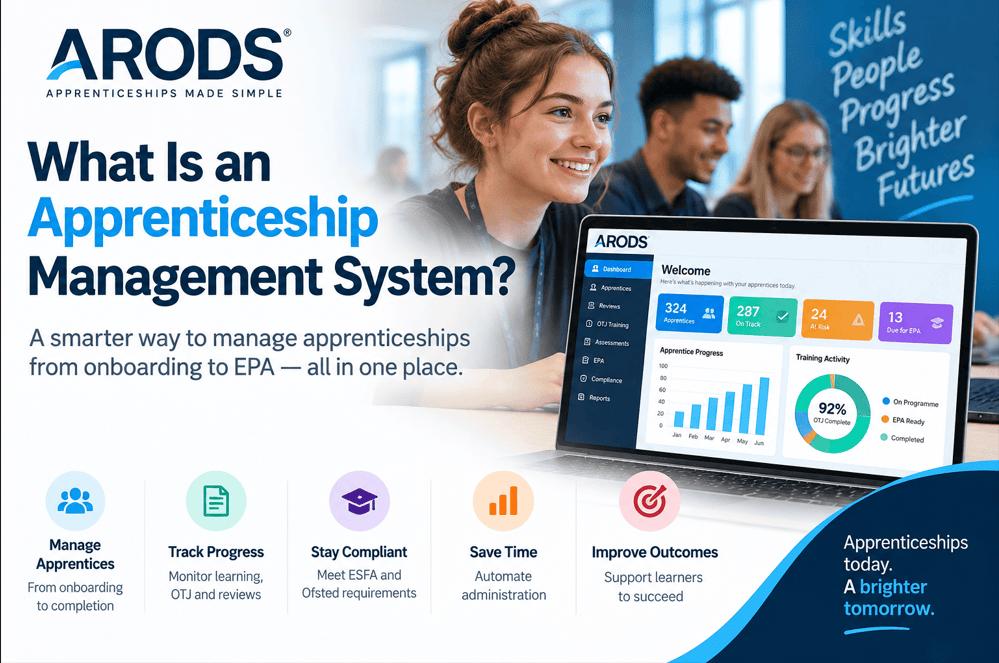
An apprenticeship management system is software designed to help training providers coordinate, manage and monitor the operational processes involved in delivering apprenticeships.
Rather than relying on a collection of spreadsheets, emails, documents and separate systems, an apprenticeship management system can bring key information and activities together in one place. This can give training providers a more consistent way to manage learners, tutors, coaches, employers, evidence, reviews, training plans and compliance-related activities.
The exact functionality varies considerably between software providers. Some systems focus primarily on learner administration, while others provide a much broader set of tools covering the apprenticeship journey from initial application through to completion. Providers should therefore look beyond feature lists and establish whether a system genuinely supports the workflows they use every day.
Delivering apprenticeships involves a significant amount of administration. Learner information needs to be maintained, training activity recorded, progress monitored, evidence collected, reviews completed, and employers kept informed.
When this information is spread across different systems or maintained manually, it can lead to duplicate administration and make it difficult for managers to obtain an accurate picture of what is happening across their provision.
A connected learner record can reduce duplication by consolidating relevant information. It can also give managers a clearer view of learner activity and highlight areas that require attention.
For tutors and coaches, having information available within a single system can make everyday tasks easier. Instead of searching through emails, spreadsheets, or separate records, they can access learner information, reviews, evidence, assignments, training activities, and outstanding actions from one location.
For managers, the benefit is visibility. Good apprenticeship management software should make it easier to understand what is happening across the organisation and identify issues before they become larger operational or compliance problems.
The requirements will vary among training providers, but a comprehensive system may encompass a wide range of processes throughout the apprenticeship lifecycle.
These can include:
Applications and onboarding – managing new learners and collecting the information required to begin their apprenticeship.
Learner management – maintaining a central record of learner information and their apprenticeship journey.
Recognition of Prior Learning (RPL) – recording previous learning and experience and managing the associated process.
Training plans – managing the planned activities and requirements associated with an apprenticeship.
Off-the-job training (OTJ) – recording and monitoring off-the-job training activity and helping providers understand whether learners are progressing towards their required hours.
Assignments and evidence – managing assignments, submissions and supporting evidence.
Progress reviews – organising and recording progress reviews involving learners, employers and training staff.
Scheduling – helping coordinate meetings, reviews, training and other activities.
Employer engagement – maintaining employer information and supporting communication and involvement throughout the apprenticeship.
Reporting and dashboards – giving managers access to information about learner progress, activity and outstanding actions.
Quality and compliance monitoring – helping providers identify missing information, incomplete activities and areas that may require intervention.
The important consideration is not simply whether a system has a particular feature. Providers should consider how those features work together.
For example, recording OTJ activity is useful, but it becomes considerably more valuable when managers can see that activity alongside the learner’s apprenticeship dates, expected training requirements and overall progress.
Similarly, recording a progress review is only part of the process. A useful system should help providers understand which reviews are due, which have been completed, what actions were agreed and whether those actions have been followed up.
ARODS is designed to bring key apprenticeship management processes together within a connected workflow.
The aim is to provide training providers with a central system for managing the operational side of apprenticeship delivery rather than requiring staff to rely on multiple disconnected processes.
By bringing together learner information, training activities, reviews, evidence, assignments, employer information, and other apprenticeship processes, ARODS can provide staff with a clearer view of the learner journey.
This can be particularly useful for managers who need to monitor provision across multiple learners, tutors, coaches, employers and apprenticeship programmes.
The value of an apprenticeship management system ultimately comes from how well it supports the provider’s real-world processes. A system may contain a long list of features, but the important question is whether those features reduce administration, improve visibility and help staff manage apprenticeships effectively.
An apprenticeship management system is software used by training providers to manage the operational processes involved in delivering apprenticeships.
Depending on the system, this may include learner onboarding, training plans, RPL, OTJ training, assignments, evidence, progress reviews, employer engagement, scheduling, reporting and quality monitoring.
The scope varies between systems, so providers should evaluate the specific processes they need to manage rather than assuming that every apprenticeship management system provides the same functionality.
Apprenticeship management software can help reduce administrative duplication by consolidating information and processes.
It can also improve visibility for managers, make information easier for tutors and coaches to access, and provide a more structured way of monitoring learner progress and outstanding actions.
The benefits will depend on how effectively the software integrates with the provider’s existing workflows. A system that is difficult to use or requires staff to duplicate information may not deliver the expected benefits.
Training providers should test potential systems against their actual workflows.
Rather than evaluating software purely from a feature checklist, providers should consider how the system handles the complete apprenticeship journey. This could include onboarding a learner, allocating their apprenticeship, recording training activity, completing reviews, collecting evidence, engaging employers and monitoring progress.
It is also important to consider reporting, ease of use, scalability, data management and the support available from the software provider.
A practical starting point is to identify the provider’s key operational processes and then test each one within the proposed system.
Our guide on choosing an apprenticeship management system provides further guidance on the areas providers should consider.
The right system should do more than store learner information. It should help connect the various activities involved in apprenticeship delivery and provide staff with the information they need, when they need it.
For training providers, the goal should be to find software that fits how they actually deliver apprenticeships, reduces unnecessary administration, and provides meaningful visibility into learner and operational activity.
As apprenticeship provision becomes increasingly data-driven, having accurate, accessible and connected information can play an important role in managing delivery effectively.
Before choosing a system, providers should therefore test it against real workflows and current operational requirements rather than relying solely on demonstrations or feature lists.
©2026 CyberNexus Ltd. All Rights Reserved.
Subscribe and get exclusive content and special offers.
