ARODS Reviews: Apprenticeship Management Software UK
Apprenticeships, Pre-apprenticeships, Work-Based Learning, RPL & CRM in one solution
£zero setup cost and a 3-month free trial mean a risk-free evaluation is possible
ARODS Reviews: A Guide to ARODS Apprenticeship Management Software in the UK
Looking for ARODS reviews or comparing apprenticeship management software? This guide explains what ARODS does, who it is designed for, the features worth evaluating, and what UK training providers should consider before choosing an apprenticeship management system.
What is ARODS?
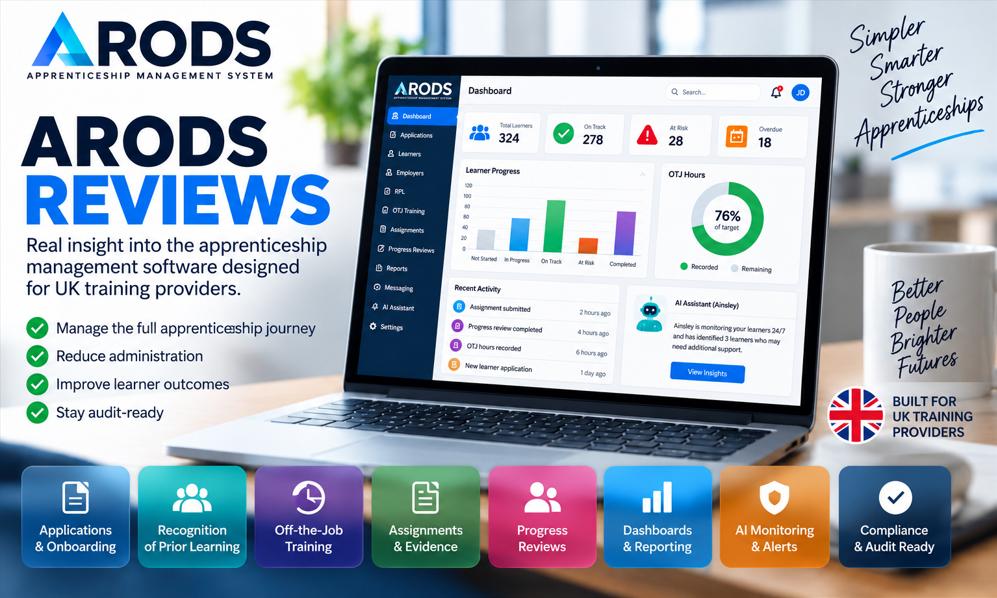
ARODS is an apprenticeship management system designed for UK training providers. It brings key apprenticeship delivery processes into one platform, including learner applications, Recognition of Prior Learning (RPL), off-the-job training (OTJ) tracking, assignments and evidence, progress reviews, course scheduling, employer engagement, dashboards and reporting.The platform also includes AI-assisted management tools, designed to help providers identify potential delivery problems and take action before they become larger operational or compliance issues.Rather than treating apprenticeship management as a collection of separate administrative tasks, ARODS is designed around the full apprenticeship journey: from application and onboarding through training, evidence gathering, progress reviews, monitoring and preparation for end-point assessment.ARODS also extends beyond standard apprenticeships, with support for pre-apprenticeships, T Levels, work experience and work-based learning, as well as CRM functionality for managing employer relationships.For a training provider, the central question is therefore not simply whether ARODS has a long list of features. The more important question is:Can an apprenticeship management system such as ARODS make day-to-day delivery easier, more visible and more manageable?That is what prospective users should investigate.
Why do training providers need apprenticeship management software?
Apprenticeship delivery involves many connected processes.A provider may need to manage:
apprenticeship standards & units process management
work experience & T-level process management
Training plans
off-the-job training
assignments, evidence gathering & EPA preperation
progress reviews
employer involvement
tutor or coach activity
attendance
management Reporting
audit preparation
Customer Relationship Mangement (CRM)
When these activities are managed through separate spreadsheets, email, paper records and different software applications, it becomes difficult to maintain a clear view of what is happening.A learner may have completed one process while another is overdue. An employer may not have responded to a review. OTJ hours may be falling behind. Evidence may not have been submitted. A tutor may have a large caseload but no simple way for management to identify which learners need attention.These are not necessarily individual software problems. They are visibility and workflow problems.This is where an integrated apprenticeship management platform can become valuable.ARODS is designed to connect these processes so that the provider can work from a more consistent set of learner and delivery information.The objective is straightforward:less repetitive administration, better visibility and earlier identification of problems.
What features does ARODS provide?
The most useful way to assess apprenticeship software is to consider the individual processes it needs to support.
Learner applications and onboarding
The apprenticeship journey starts before the learner begins their programme.ARODS provides online apprenticeship applications designed to reduce paper-based administration. Applications can be completed online, with automated validation and notifications for the onboarding team.This can help providers move away from manually collecting information through separate forms, emails and spreadsheets.
Recognition of Prior Learning and Skills Scans
Recognition of Prior Learning (RPL) is an important part of apprenticeship onboarding.A provider needs to understand what a learner already knows and can do before deciding the appropriate training programme, duration and other elements of delivery.ARODS includes RPL functionality and skills-scan processes that allow providers to collect information electronically, assess prior experience and manage the resulting process within the wider apprenticeship record.
Off-the-job training tracking
Off-the-job training (OTJ) is one area where apprenticeship providers need reliable, ongoing monitoring.Learners need to record qualifying training activity, while tutors and managers need to understand whether the learner is progressing towards the required target.ARODS includes online OTJ recording and monitoring, with alerts designed to highlight situations in which targets are not being met or learners may be falling behind.
Assignments and apprenticeship evidence
Evidence is at the centre of apprenticeship delivery.Learners need to produce evidence of their development, while tutors and coaches need to review submissions, provide feedback and understand how evidence relates to the apprenticeship requirements.ARODS provides assignment functionality for creating assignments, collecting evidence and recording feedback.
Progress reviews
Progress reviews are another core part of apprenticeship management.They provide an opportunity for the learner, tutor or coach, and employer to consider progress, identify issues, and agree on future actions.ARODS supports two-way and three-way progress review processes, allowing the relevant participants to contribute information and feedback.
Dashboards and management visibility
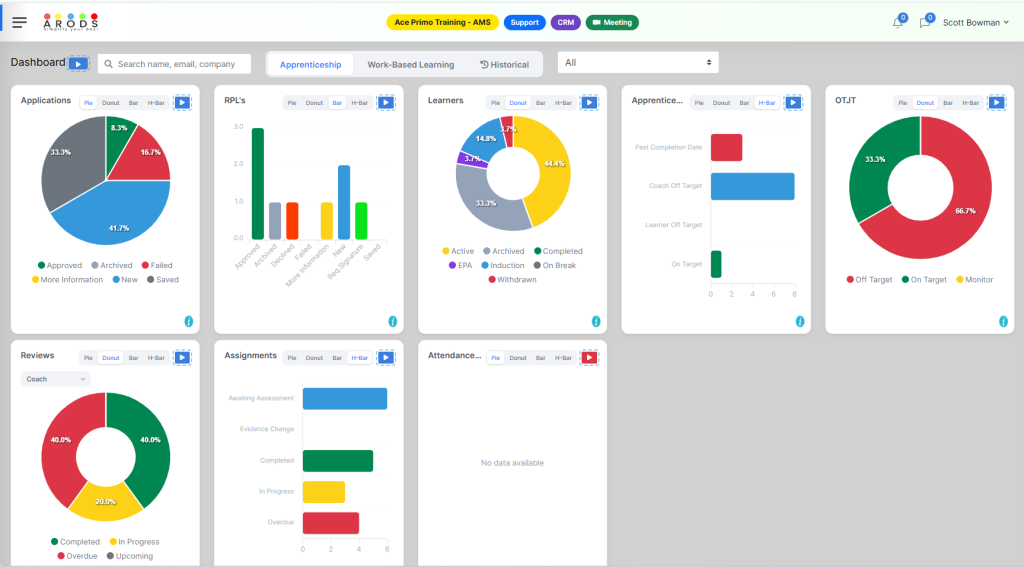
A management system should provide more than a learner record. Managers need a clear view of what is happening across delivery.ARODS provides dashboard and management views designed to show what is happening across the delivery operation.Managers can use these views to identify areas that require attention rather than relying entirely on manually prepared reports.ARODS Management Dashboard
AI-assisted apprenticeship management
One of the areas that distinguishes ARODS from traditional apprenticeship management software is its use of AI.ARODS includes Ainsley, its integrated AI assistant, which is designed to monitor delivery activity and identify issues requiring attention.The concept is important because traditional management systems generally rely on people reviewing reports and deciding what requires intervention.An AI-assisted system can instead help identify patterns or exceptions within the data.
Employer engagement and CRM
Employers are an important part of apprenticeship delivery.ARODS includes CRM functionality alongside its apprenticeship management features, allowing employer relationships to be managed within the wider system.
Course schedules and attendance
ARODS includes course scheduling functionality, allowing providers to create schedules, allocate cohorts and use attendance registers.
T Levels, work experience and work-based learning
ARODS is not limited to standard apprenticeship delivery.The platform also supports areas such as T Levels, work experience, and industry placements/work-based learning.
ARODS and apprenticeship compliance
Compliance is an important consideration when choosing apprenticeship management software.However, it is important to make a distinction:Software can support compliance; it cannot replace professional judgment or responsibility.ARODS provides tools for processes such as RPL, OTJ monitoring, progress reviews, evidence management, and recordkeeping.These functions can help providers maintain more consistent records and make important information easier to locate.They may also help create an audit-ready working environment in which evidence and process records are maintained continuously rather than assembled immediately before an inspection or funding review.The provider remains responsible for understanding the applicable requirements, maintaining quality and ensuring staff use the system correctly.
Why an integrated apprenticeship management system can matter
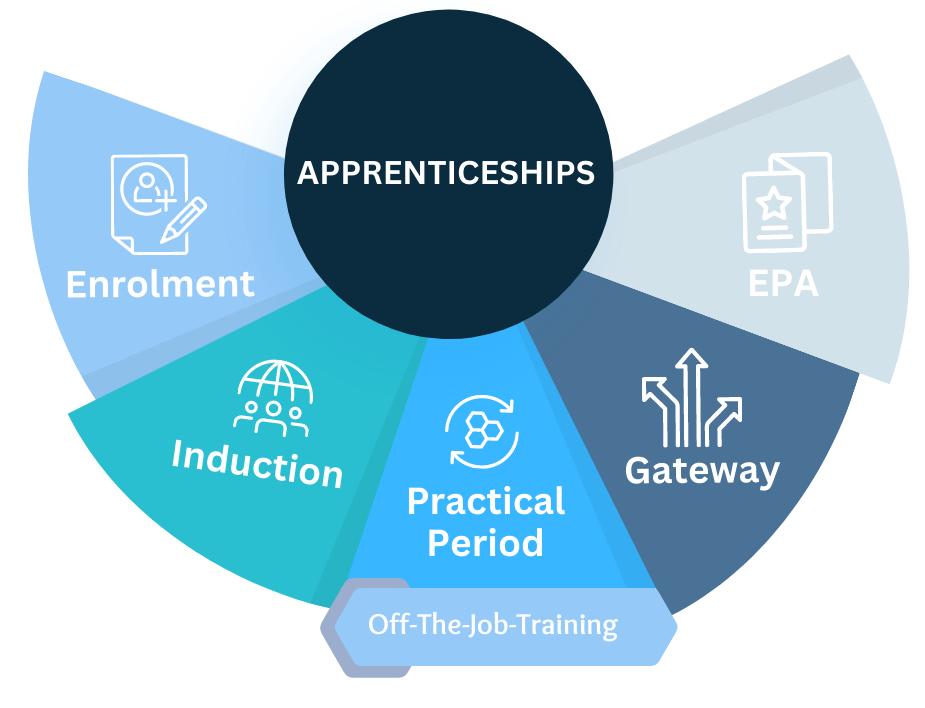
The biggest potential advantage of an integrated system is not the number of modules.It is the connection between them.Consider a simplified apprenticeship journey:Application → RPL → Training Plan → OTJ → Assignments → Progress Reviews → Evidence → EPAEach stage can affect the next.An RPL decision may affect the learning plan.The learning plan affects expected delivery.OTJ activity contributes to monitoring progress.Assignments produce evidence.Progress reviews identify actions.Evidence contributes towards EPA preparation.When these processes are managed independently, staff may have to reconcile information manually.When they are connected, the same learner record can provide information throughout the journey.That can improve visibility and reduce duplicated administration.Arods apprenticeship cycle
What should you look for beyond the feature list?
Before choosing ARODS or any apprenticeship management system, consider:
Ease of adoption: Will busy tutors use it without constant support?
Process flexibility: Can your team configure forms, schedules, reviews, nd assignments to fit our delivery model?
Data quality: Does the system encourage complete, consistent records?
Reporting usefulness: Are dashboards clear enough for real management decisions?
Support and onboarding: Is there a realistic plan for setup, training and early troubleshooting?
Long-term storage: Do your data retention needs align with the subscription route?
Employer engagement: Can employers contribute without unnecessary friction?
Scalability: Can the system support your organisation as learner numbers and programmes grow?
The best choice is not always the platform with the most features. It is the one your team can use reliably and with minimal confusion, while maintaining quality and compliance.
How should a training provider evaluate ARODS?
The best way to evaluate ARODS is to test it against real workflows.Build a small evaluation team that includes management, tutors, onboarding staff, compliance leads and someone who works with employers.Then test realistic scenarios:
New learner application and onboarding.
RPL and skills-scan processing.
OTJ recording and monitoring.
Assignment and evidence submission.
Progress review.
Management dashboard and risk visibility.
EPA evidence preparation.
Testing these scenarios will reveal much more than a generic software checklist.
ARODS reviews: what should prospective users look for?
Searching for ARODS reviews is a sensible part of evaluating the platform.However, reviews should not be the only source of evidence.A useful review should answer practical questions:
Did the administration actually decrease?
Did staff find the system easy to use?
Did learners engage with it?
Did progress reviews become easier to manage?
Did OTJ monitoring improve?
Did managers gain better visibility?
Did evidence collection become easier?
Was the implementation straightforward?
How good was the support?
Prospective users should combine reviews with official product information, demonstrations, trial access, user feedback and testing against their own workflows.The strongest test is still the same:Use the system and see whether it solves the problems your organisation actually has.
Is ARODS an e-portfolio?
ARODS includes evidence management and EPA-related functionality, but its proposition is broader than simply storing an apprenticeship portfolio.The platform is designed around apprenticeship management and delivery, bringing together applications, RPL, OTJ monitoring, assignments, progress reviews, evidence, dashboards, employer activity and other operational processes.If the organisation’s problem is storing evidence, a portfolio may be sufficient.If the problem is managing the entire apprenticeship delivery process, an apprenticeship management system may offer a more comprehensive solution.
What is the main advantage of ARODS?
The central potential advantage of ARODS is connected visibility.Instead of maintaining separate information for applications, RPL, OTJ, assignments, reviews, evidence, and employer engagement, these processes can be managed within a single environment.Managers can gain better visibility of operational performance. Tutors and coaches can have clearer information about learners requiring attention. Learners can have a more structured view of their apprenticeship activities. Employers can have a clearer way to participate in progress and feedback. Administrators can reduce repetitive data entry.The objective is not technology for its own sake.It is to make apprenticeship delivery clearer, more consistent and easier to manage.
Final verdict: Is ARODS worth investigating?
For UK training providers looking for apprenticeship management software, ARODS is worth investigating if the organisation wants to consolidate its apprenticeship delivery processes into a single system.Its proposition combines apprenticeship management with RPL, OTJ monitoring, assignments and evidence, progress reviews, dashboards, employer management and AI-assisted monitoring.The strongest potential fit is likely for providers experiencing fragmented administration, limited management visibility, manual OTJ monitoring, evidence chasing, or difficulty identifying learners and processes that need attention.However, the right question is not simply:“Does an ODS have the features we need?”The better question is:“Can RO S improve the way our organisation actually manages apprenticeship delivery?”The awwhat “should be established through a practical evaluation using real workflows.For a training provider considering a new apprenticeship management system, that is the most useful test of all.
Frequently Asked Questions About ARODS
What is ARODS?
ARODS is an apprenticeship management system designed for UK training providers. It provides tools for applications, RPL, OTJ training, assignments, evidence, progress reviews, dashboards, employer engagement and other apprenticeship delivery processes.
Who is ARODS designed for?
ARODS is designed primarily for organisations that deliver apprenticeships and other forms of work-based learning, including training providers and organisations that manage vocational programmes.
Is ARODS an apprenticeship management system or an e-portfolio?
ARODS is positioned primarily as an apprenticeship management system rather than simply an e-portfolio. It includes evidence and EPA-related functionality, as well as applications, RPL, OTJ, progress reviews, dashboards, and management processes.
Does ARODS track off-the-job training?
Yes. ARODS provides online OTJ recording and monitoring, including alerts designed to identify learners who may not be meeting their expected OTJ targets.
Does ARODS support Recognition of Prior Learning?
Yes. ARODS includes RPL and skills-scan functionality designed to help providers collect prior-learning information and manage the RPL process.
Can ARODS manage apprenticeship progress reviews?
Yes. ARODS supports two-way and three-way progress review processes involving learners, training staff and employers.
Does ARODS use artificial intelligence?
Yes. ARODS includes an integrated AI assistant called Ainsley. The platform describes AI-assisted monitoring, alerts and completion-risk forecasting as part of its management functionality.
Can ARODS help with apprenticeship evidence?
Yes. ARODS provides assignment and evidence management functionality, including evidence uploads and links, feedback, and EPA-related evidence preparation.
Can ARODS support T Levels and work experience?
Yes. ARODS also provides functionality for T Levels, work experience and other work-based learning activities.
Does ARODS guarantee apprenticeship compliance?
No software should be treated as a substitute for provider responsibility. ARODS provides tools intended to support compliance, recordkeeping, and audit readiness, but providers remain responsible for understanding applicable requirements and maintaining appropriate quality and processes.
How should I evaluate ARODS?
The best approach is to test ARODS against real apprenticeship workflows, including applications, RPL, OTJ monitoring, assignments, evidence, progress reviews, reporting and management oversight.
Where can I find out more about ARODS?
Prospective users can visit ARODS.co.uk to explore the platform, its features and current access options.