
Monitor Your Entire Centre From One Screen
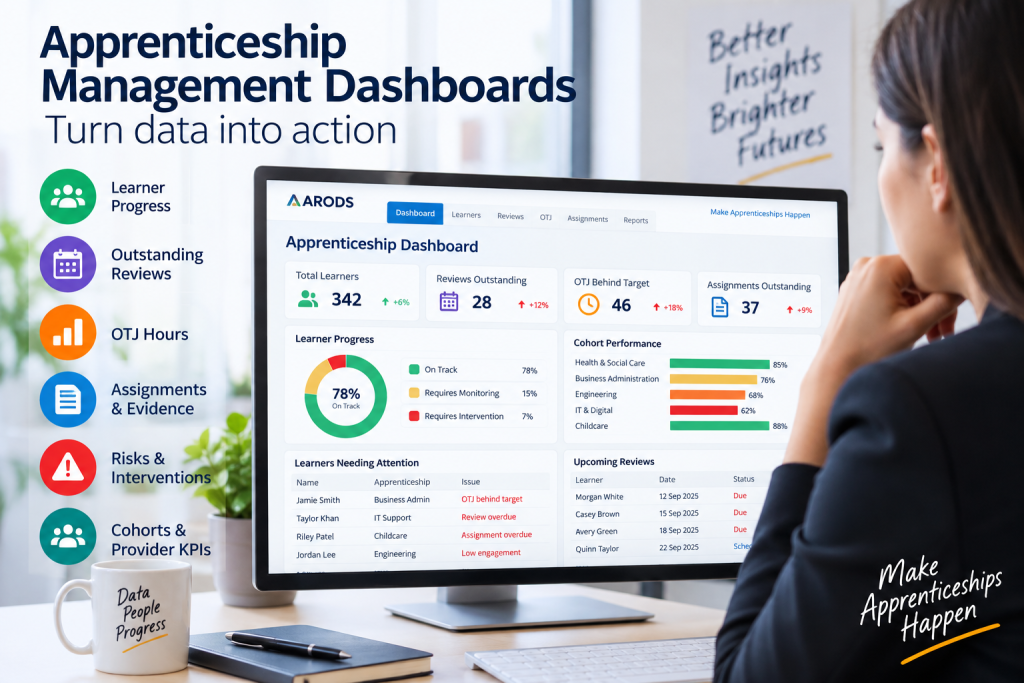
A good apprenticeship dashboard should help a manager decide what needs attention.
It should not simply display attractive charts.
The best dashboards answer practical management questions.
Managers need visibility of learner status and potential problems.
Progress reviews are an important part of apprenticeship delivery.
A dashboard should make outstanding activity visible.
OTJ monitoring is an important management function.
A dashboard should make it easy to identify learners who may require intervention.
Evidence and assignments are part of ongoing learner progress.
Managers should be able to identify delays before they become significant.
Management information should help identify patterns across staff as well as learners.
This allows managers to distinguish between:
individual learner problems
and
systemic delivery problems.
Cohort-level information can reveal patterns that are not obvious when looking at individual learners.
Visual indicators can be particularly useful.
For example:
Green — progressing normally.
Amber — requires monitoring.
Red — requires intervention.
ARODS uses visual management and drill-down approaches as part of its platform.
The ultimate test of a dashboard is:
What will the manager do differently after looking at it?
If the answer is nothing, the dashboard is probably reporting rather than managing.
A good apprenticeship management dashboard turns large amounts of operational data into clear priorities.
That is particularly important for providers managing multiple learners, tutors, employers and cohorts.
AI-assisted risk monitoring can help providers identify learners who may need earlier intervention.
Providers comparing options can review the guide to the best apprenticeship management software and the capabilities worth assessing.
Related reading: How to reduce apprenticeship administration, and the full set of ARODS apprenticeship management guides.
©2026 CyberNexus Ltd. All Rights Reserved.
Subscribe and get exclusive content and special offers.